# Forms and the form designer
[Programming guides](README.md)
A form asks several questions together. Use one for a player's name, difficulty, sound volume or a confirmation. Basic forms and the visual designer are available in Learner; no Pro license is needed.
```pliro
# language: en
let answer = showForm({"title": "Ready to play?", "submit": "Start", "cancel": "Back", "fields": [{"id": "name", "type": "text", "label": "Player name", "value": "Nova", "required": true}, {"id": "sound", "type": "checkbox", "label": "Sound on", "value": true}]})
if answer["submitted"]:
say "Welcome", answer["values"]["name"]
else:
say "Maybe later."
```
Check `submitted` before reading values. Cancel returns an empty values map, so treating it like a submitted form causes an error.
## Design a form
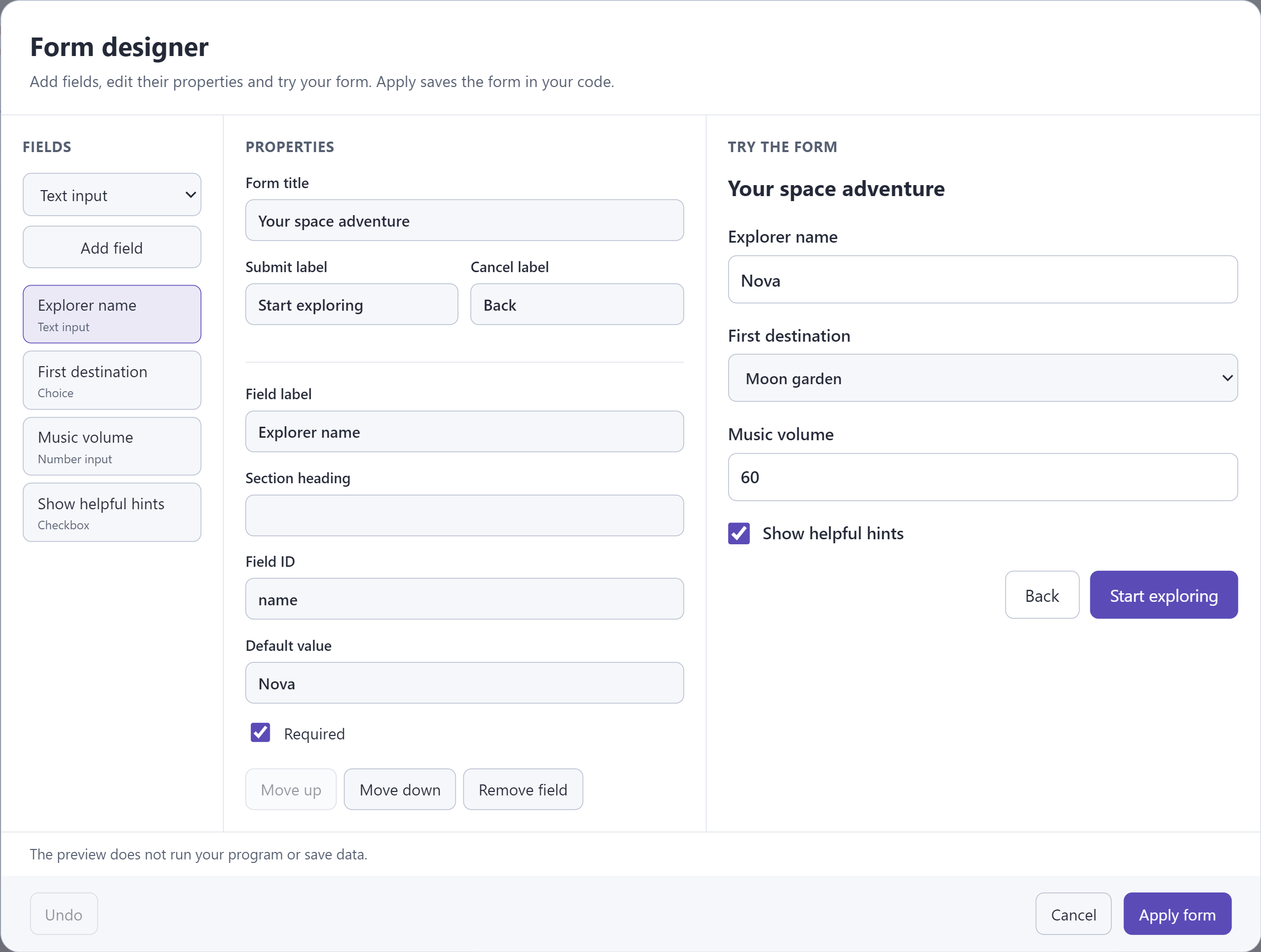
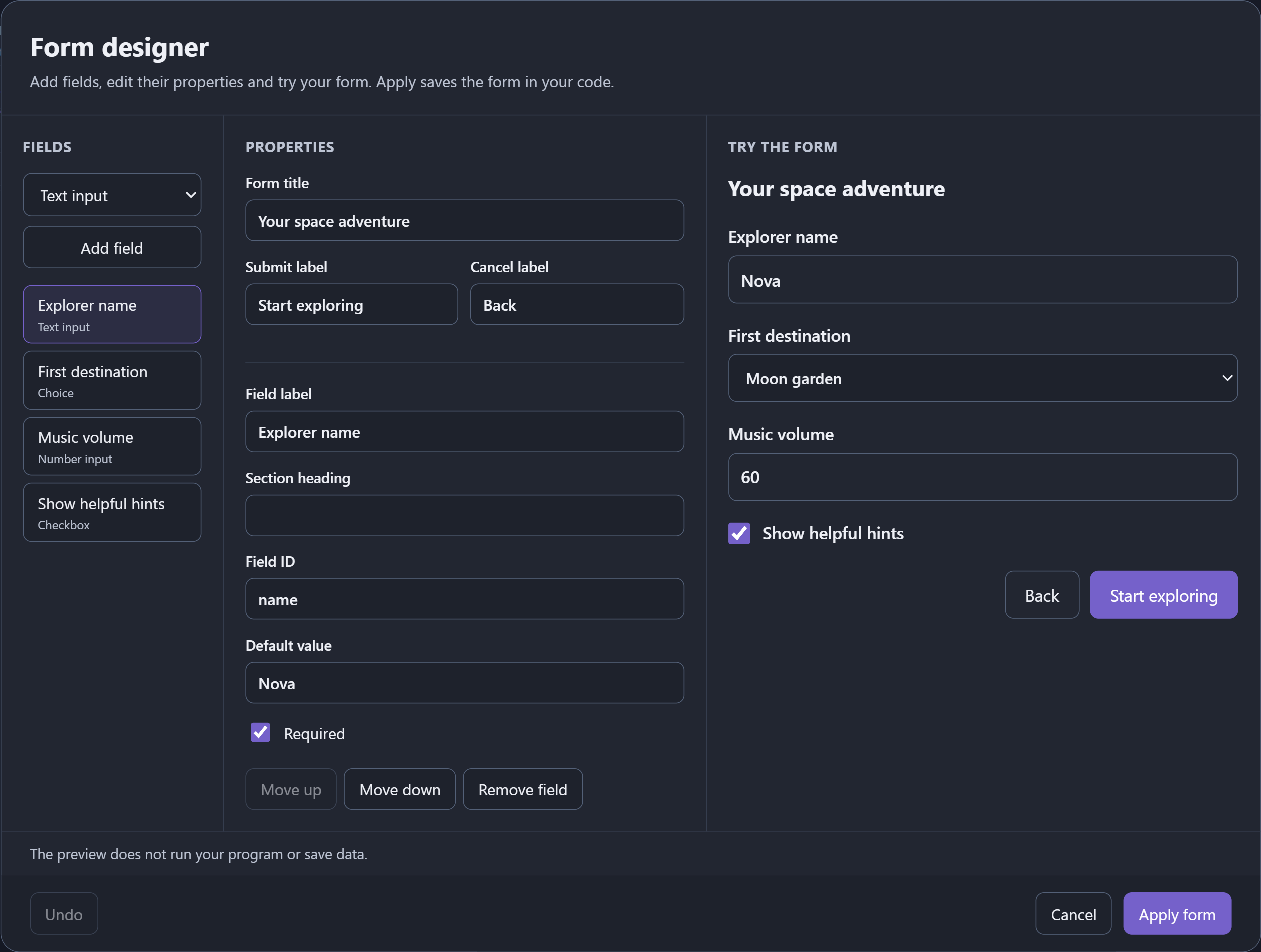
Choose **Tools → New form** or place the cursor at a literal `showForm` call and choose **Tools → Form designer**. Add and reorder fields, select one to edit its properties, and inspect the preview. **Apply form** updates ordinary Pliro source and participates in Undo. The Blocks view also has a form-designer button.
| Field type | What it holds |
|---|---|
| `text` | Text; `required` rejects an empty or whitespace-only answer. |
| `number` | A finite number; optional `minimum` and `maximum` are inclusive. |
| `checkbox` | A Boolean; `required` means it must be checked. |
| `choice` | One text option from a nonempty list of unique options. |
| `label` | An explanation, with no returned value. |
Data fields need unique IDs. `value` supplies a correctly typed starting value. `group` gives fields a section heading. The form title, labels and button text are application content: supply Dutch text yourself when appropriate. Syntax conversion does not translate map keys, IDs, type names or labels.
Computed definitions are valid programs. The designer only rewrites definitions it can preserve safely; keep computed expressions or unsupported commented definitions in Text. Basic forms submit or cancel as a whole. Live per-field callbacks, reusable custom widgets and database-bound forms are not available.
The IDE and browser show responsive HTML controls with labels and keyboard navigation. Native Windows/Linux/Pi apps show a keyboard/mouse form: Tab moves between fields, arrow keys change choices, Space changes a checkbox, Enter advances and Escape cancels. Long forms page through fields. Native forms do not yet expose an operating-system accessibility tree. CLI and console exports ask the questions in the terminal. Phone preview asks you to complete the form in the IDE.
[showForm reference](../builtins/showForm.md) · [Demo games](demo-games.md)