# Raspberry Pi: a small computer for your projects
[Concepts explained](README.md)
A **Raspberry Pi** single-board computer puts the main parts of a computer on one small board. With a suitable power supply, storage and an operating system, it can run programs. You can use a screen and keyboard, or control it remotely without a screen. Raspberry Pi OS is a Linux operating system for these computers. Follow the [official setup guide](https://www.raspberrypi.com/documentation/computers/getting-started.html) for your board.
## What could you make?
Think of a quiz with physical answer buttons, a light that shows whose turn it is, or a small fullscreen game. Your program makes decisions; [GPIO](gpio.md) connects suitable electronic components to its inputs and outputs.
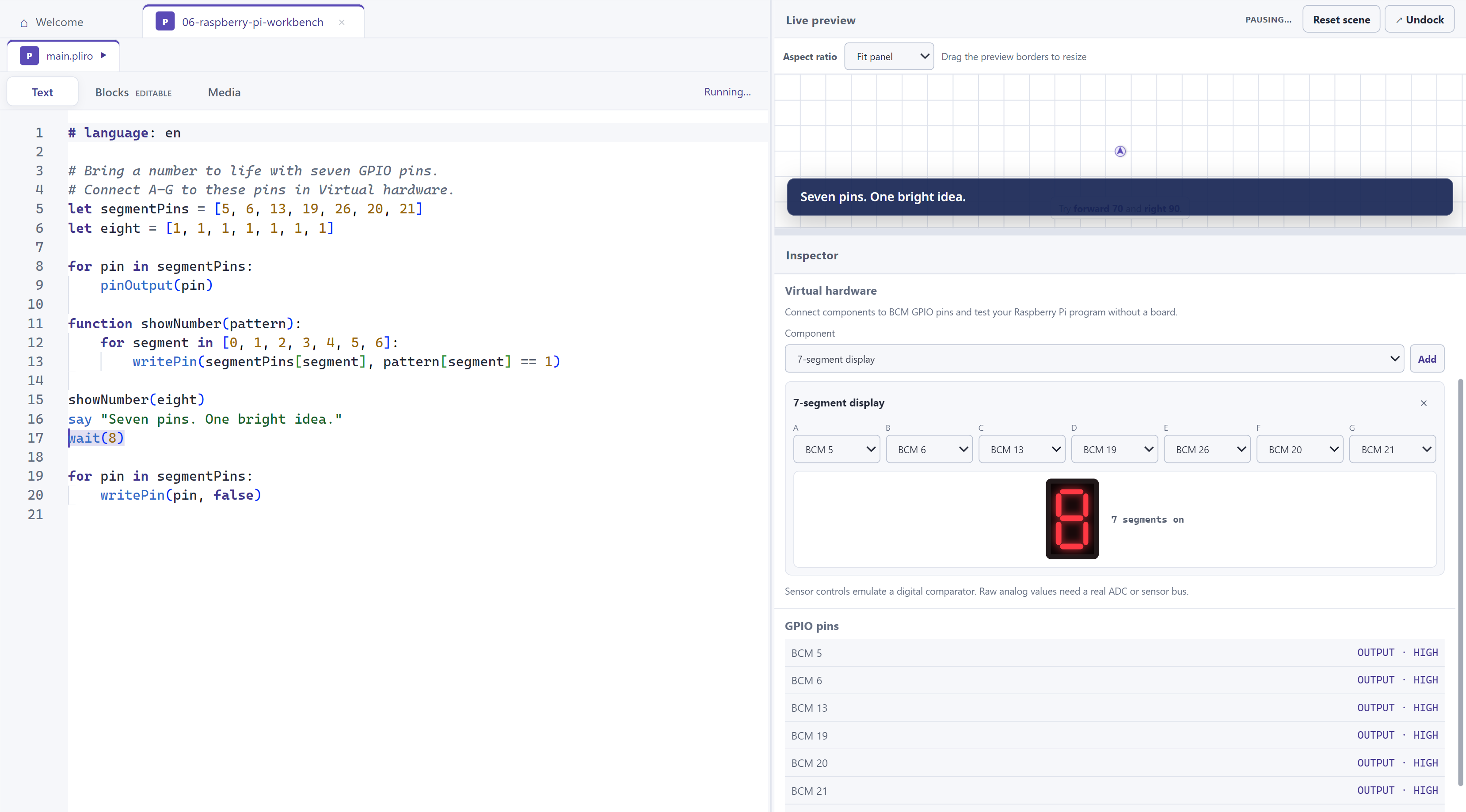
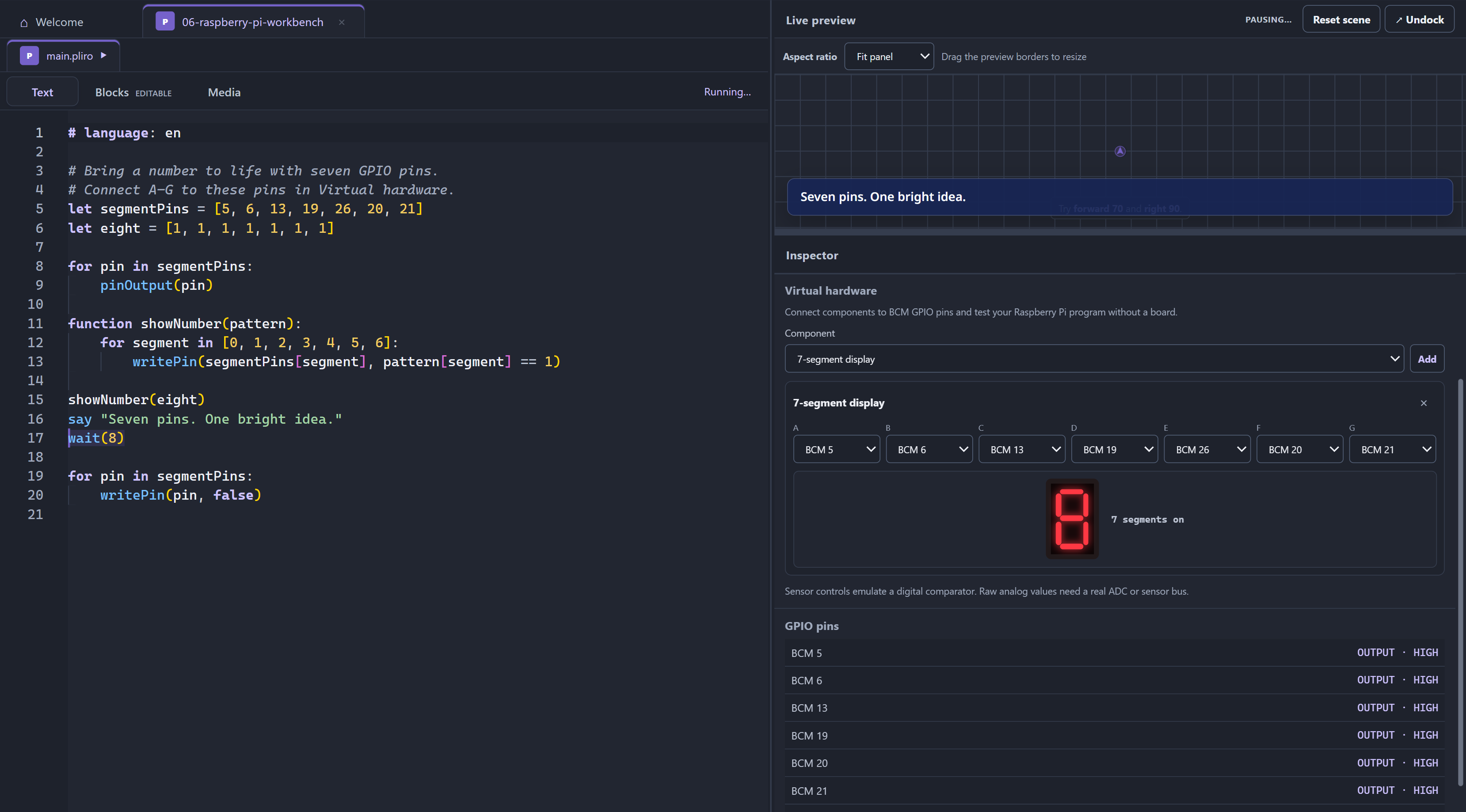
You can explore the program's logic before connecting hardware. Pliro's [IDE](../guides/pliro-ide.md) has a virtual hardware workbench for experimenting with components such as LEDs and buttons.
*The IDE's virtual workbench: seven output pins light the segments of a number. This is a simulation, with no physical board connected.*
## Three different things
| Activity | What happens in Pliro? |
| --- | --- |
| Run GPIO code in an interpreter session | Pin state is virtual. The IDE workbench can display outputs and supply inputs. |
| Build a Raspberry Pi application | Pliro creates a native executable for the selected Pi target. On the Pi it can use physical GPIO through Linux. |
| Run the IDE itself on a Pi | This requires an IDE build for that platform and its desktop dependencies. Exporting a Pi application does not install the IDE there. |
## Choose the application's target
Pliro has explicit `raspberry-pi-arm64` and `raspberry-pi-armv7` targets. The choice must match the processor and installed operating system. ARM64 is the 64-bit route; ARMv7 is the supported 32-bit route. The ARMv7 cross-build exists, while validation on older physical boards remains a release requirement.
The generic `linux-arm64` target does not enable Pliro's physical GPIO host. Use an explicit Raspberry Pi target when the application needs pins. See [Building and distributing applications](../guides/build.md) for export and SSH deployment.
These targets support console programs and native fullscreen graphics. The resulting application runs independently of the IDE, but physical pins still require the appropriate Linux device access.
## Is a Raspberry Pi Pico the same thing?
A **Pico** is a microcontroller board, a different kind of device from a Linux Raspberry Pi computer. See [Raspberry Pi's Pico documentation](https://www.raspberrypi.com/documentation/microcontrollers/pico-series.html). Pliro's current Pi targets produce Linux executables; they do not produce Pico firmware.
## A first project
Start with the [pin-control guide](../guides/gpio.md) and its three-blink program. Try it virtually, predict when the LED should be on, then change the pause. Move to real components using the board's wiring instructions and the [GPIO introduction](gpio.md).
[GPIO](gpio.md) · [Runtime and host](runtime-and-host.md) · [Pliro IDE](../guides/pliro-ide.md)